Pick the best shots.Skip the rest.
Optelect flags closed eyes and soft focus, groups bursts, suggests the best frame and checks that no guest is missed, so a 2,000-photo session becomes your 200 selects in a fraction of the time.
Also available for macOS

182

184

185

186

187

189

190

191

193

194

195

256
Stays on your computer
Photos are analysed on your machine and never uploaded.
Works offline
Keep culling for up to 7 days without internet.
Never deletes a file
Rejects wait in Restore, and any decision can be undone.
English & العربية
The whole app, right-to-left included.
Everything between the memory card and the delivery
- 1
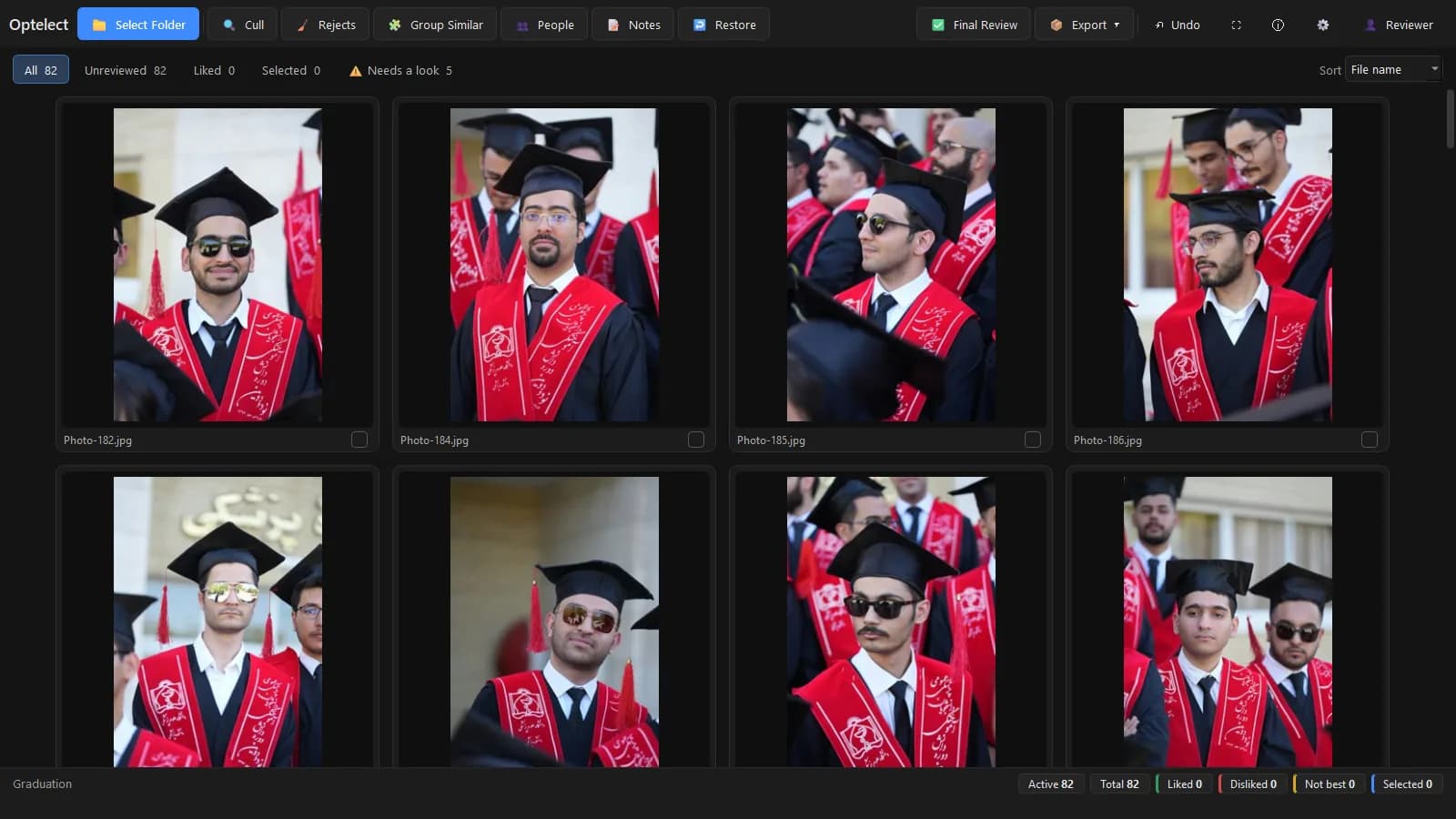
Open a folder
Point Optelect at a shoot. Thumbnails and checks run in the background.
- 2
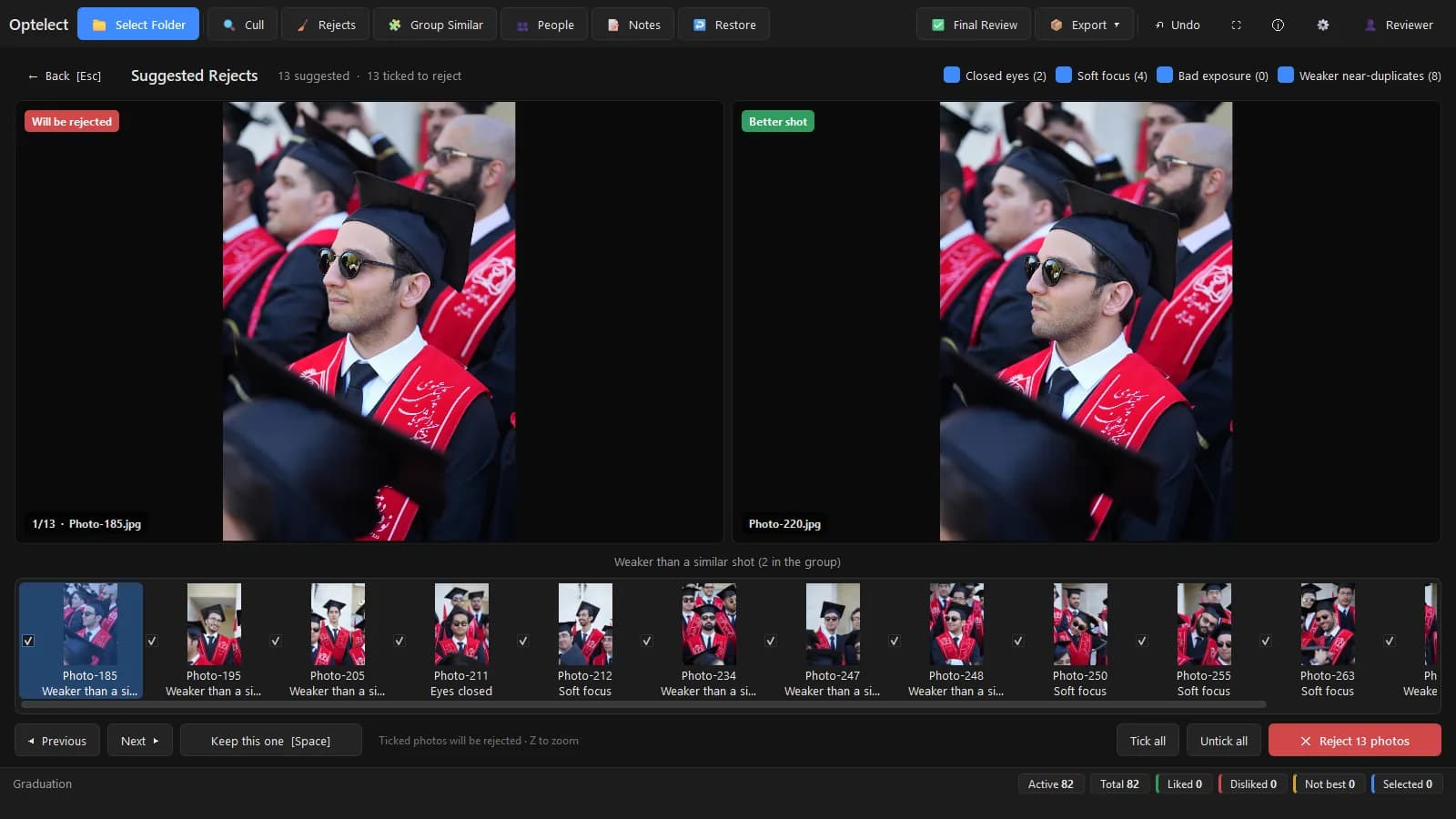
Clear the weak frames
Every frame is checked for closed eyes, soft focus and bad exposure. Untick what you want to keep, then apply in one go.
- 3
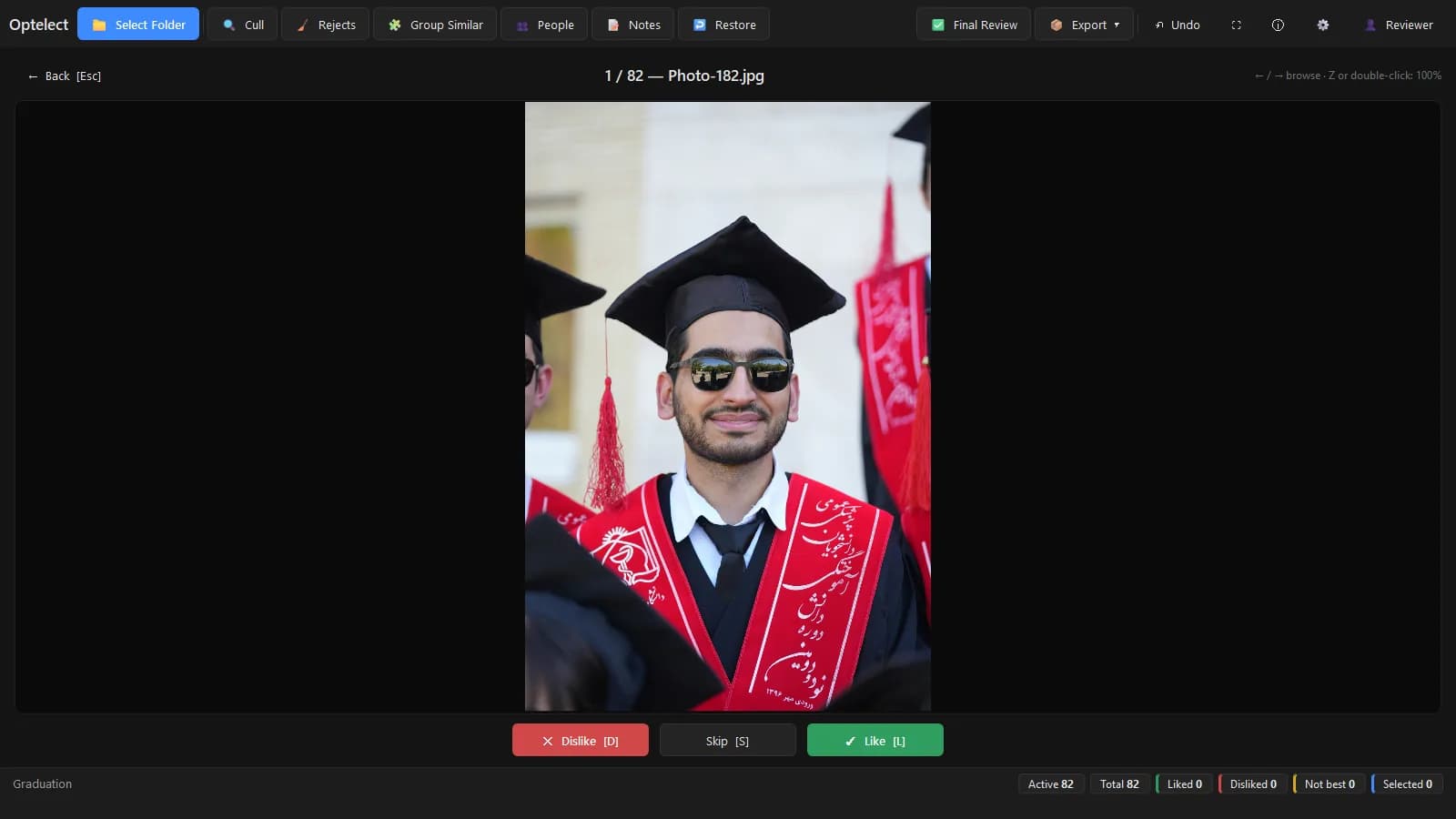
Cull at full speed
Like, dislike or skip with one key and move on. The grid stays quick with thousands of frames.
- 4
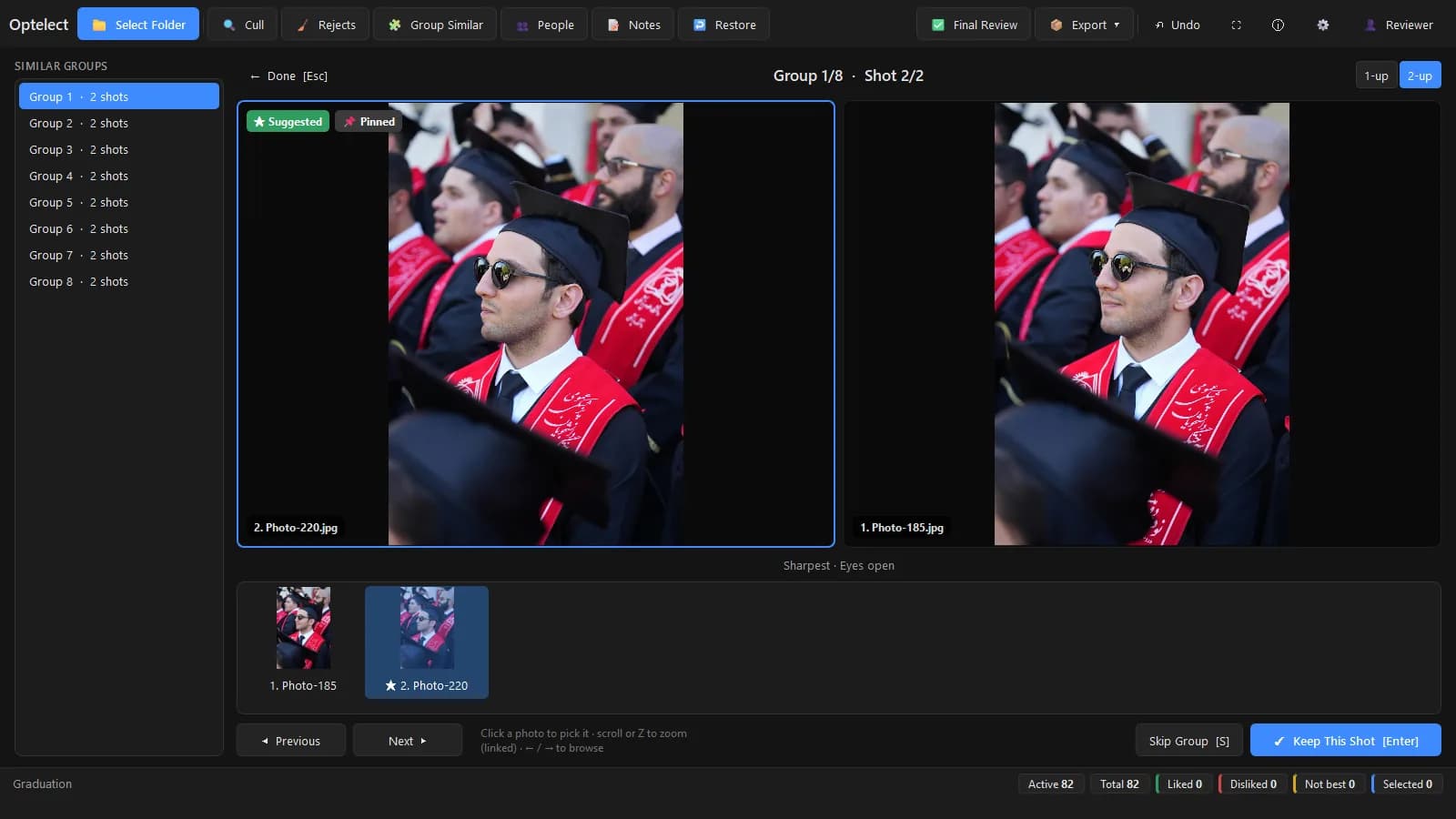
Group similar shots
Bursts and near-duplicates are grouped automatically, with the sharpest, best-exposed frame suggested. Compare two side by side and keep the winner.
- 5
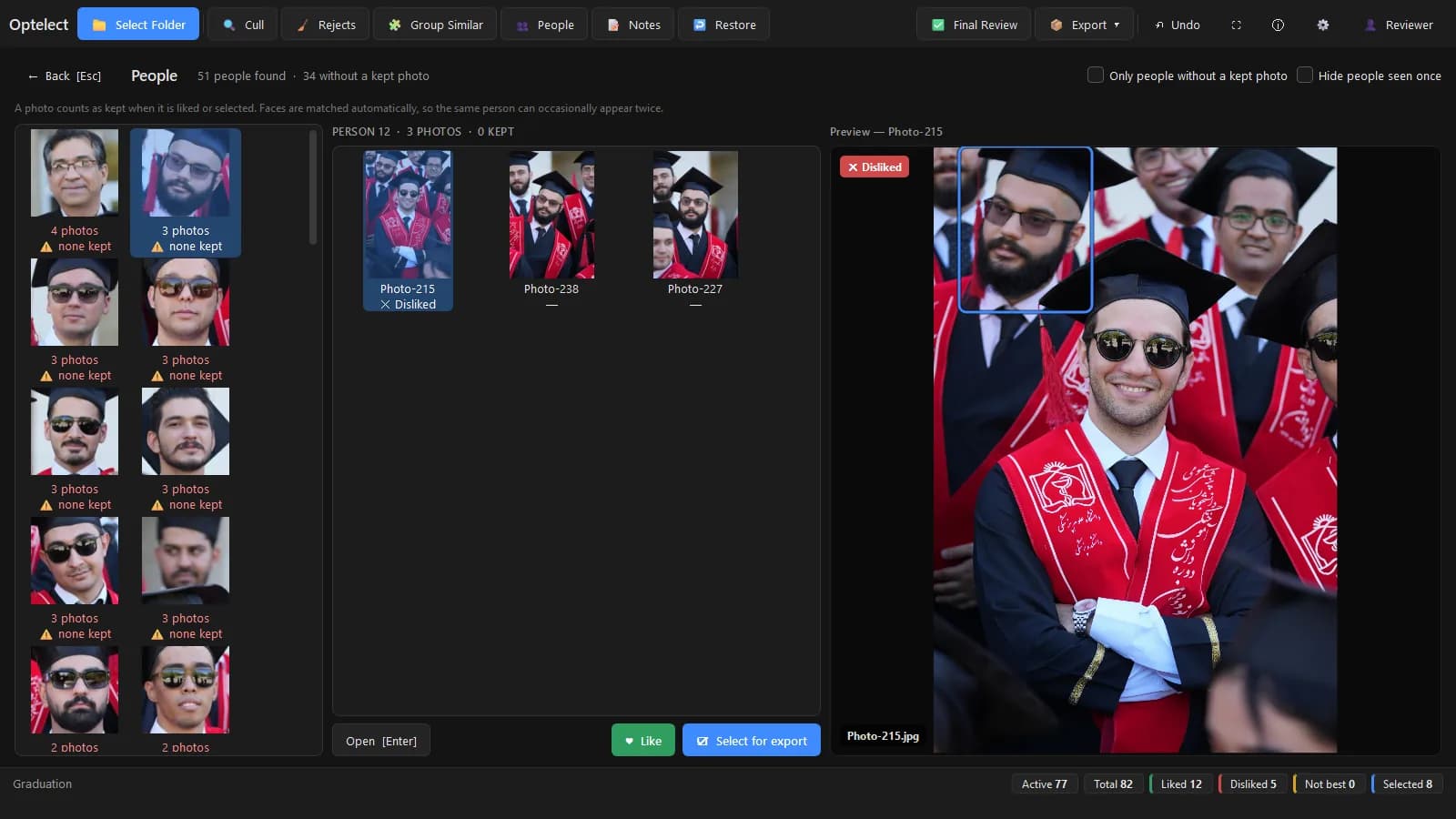
Nobody left out
Faces are grouped into people, and anyone without a kept photo is listed first, so no guest is missing from the gallery.
- 6
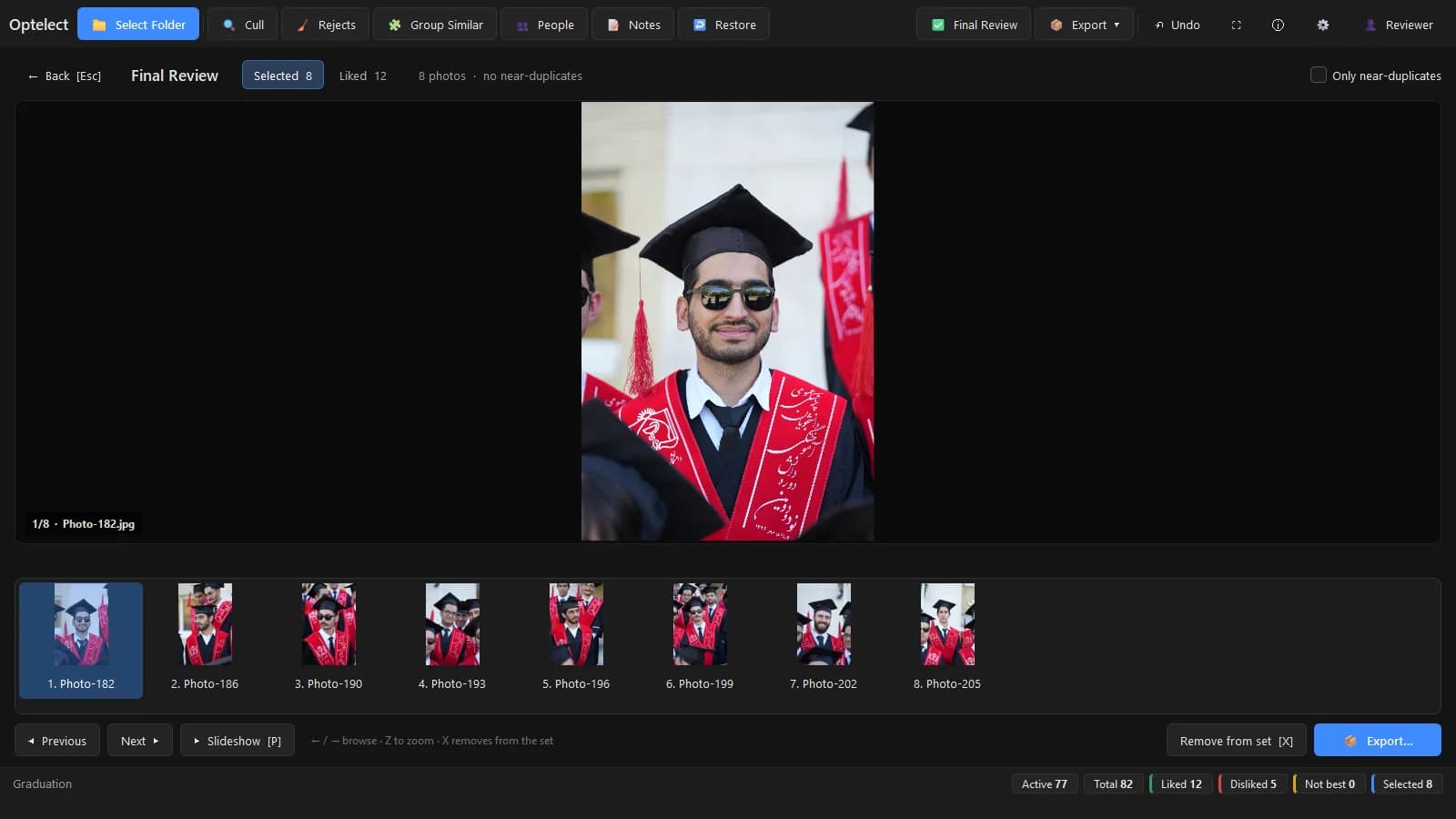
Final review
A last pass over your selects, with a slideshow and a check for look-alike shots taken seconds apart.
Also in the app
Notes for your editor
Add retouching notes to any photo, reuse your common ones in one click, and copy them all as a list with the photo names.
Nothing is ever lost
Culling never touches your files. Rejected photos wait in Restore, and every decision can be undone.
Export your selects
Copy the picks to any folder, with their RAW files and new names if you like, or send your stars and labels to Lightroom and Capture One.
Runs on your computer. Your photos stay there.
Focus, eyes, faces and similar shots are all checked on your own machine. Nothing is uploaded: only your sign-in talks to our servers.
- WindowsDownload
- macOSApple SiliconIntel
- Windows 10 or 11 · macOS 14 Sonoma or later (Intel Macs: 14.5). System requirements
One plan, every feature
Buy a plan, then sign in to the desktop app with your account. No licence keys, and nothing renews without you.
Monthly
SAR 99/ month
- Use on up to 1 computer
- Fast single & batch culling
- Similar-shot grouping
- Best-shot picking
- People view
- Suggested rejects
- Final review pass
- Quick notes
Yearly
SAR 999/ year
SAR 83.25 per month, billed yearly
- Use on up to 2 computers
- Fast single & batch culling
- Similar-shot grouping
- Best-shot picking
- People view
- Suggested rejects
- Final review pass
- Quick notes
Questions, answered
Are my photos uploaded anywhere?
No. Optelect analyses photos on your computer. Our servers only handle your account and plan; they never see a photo.
Can Optelect delete or change my photos?
No. Culling only records your decisions. Rejected photos stay in the folder and can be restored at any time, and exporting copies files without moving them.
Which files does it open?
JPEG, PNG, WebP, TIFF and BMP. If you shoot RAW + JPEG, you cull the JPEGs and the matching RAW files are copied with them. Folders of RAW files only can't be opened.
Does it work with Lightroom or Capture One?
Yes. Optelect can save your picks, stars, rejects and notes in XMP files next to your photos, so Lightroom, Bridge and Capture One show them for your RAW files. Your photos are never changed.
Do I need to be online?
Only to sign in, to confirm your plan now and then, and to see whether a new version is out. Without internet the app keeps working for up to 7 days.
How many computers can I use?
Each plan shows how many computers it covers. You can sign a computer out from your account to free its place.
How does billing work?
Plans are prepaid. Nothing renews automatically: when your time is running out, you decide whether to buy more.
Is it available in Arabic?
Yes. The app and this website work fully in Arabic and English, right-to-left included.
Talk to us
Questions about Optelect or your plan? Message us on any of these and we'll get back to you.
Freelance certificate number
FL-155799167VerifyCopy the number to check it on the Freelance platform.
Ready for your next session?
Create an account, choose a plan, then sign in to the app with the same account.
Create your account