Open a shoot and find your way around
Choose a folder of photos, use the grid's filters and know what the counters mean.
Open a folder
Click Select Folder and choose the folder with your photos. Optelect reads JPEG, PNG, WebP, TIFF and BMP files. RAW files next to your JPEGs get a RAW badge and follow them when you copy (see RAW + JPEG and Lightroom).
The first time, Optelect prepares the previews with a progress bar. Chose the wrong folder? Press Cancel (or Esc): the folder you had open stays open, and the previews made so far are kept for next time.
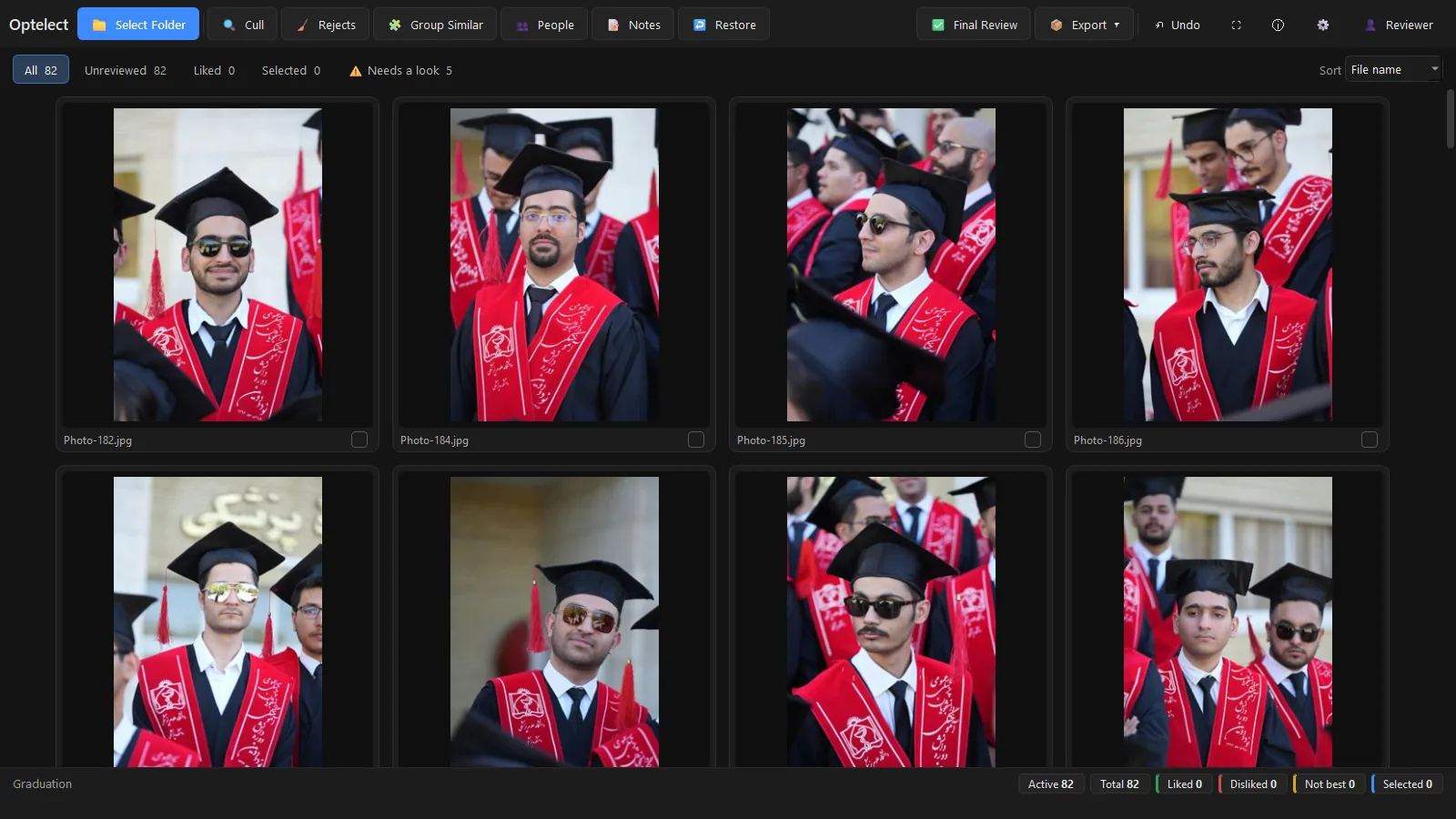
The grid
- Filters at the top: All, Unreviewed (not decided yet), Liked, Selected and Needs a look (photos with closed eyes, soft focus or bad exposure).
- Sort on the right: by file name or other orders.
- The checkbox on each photo adds it to your final selection (see Liked, disliked and selected).
- The status bar at the bottom counts Active, Total, Liked, Disliked, Not best and Selected photos.
The analysis runs on your computer
As soon as a folder opens, Optelect checks every photo for sharpness, exposure, faces and closed eyes in the background. You can keep working meanwhile. Warnings such as *Eyes closed* or *Soft focus* appear once every photo has been checked, because "soft" is judged against the whole shoot. Nothing is uploaded: your photos never leave your computer.
Your decisions are saved as you go
Every like, reject and note is saved automatically, twice: in the photo folder itself (so it travels with an external drive) and in Optelect's own folder on your computer. Close the app and continue later; reopening a folder shows everything straight away, without waiting for the analysis again.
When you start Optelect, it asks whether to Continue with your last folder, Open another folder, or Not now. Your saved work in the last folder is kept whichever you choose.
- Moved or renamed the folder? Optelect recognises a shoot by its photos, so your notes and choices are still there, even from another drive letter.
- Continuing on another computer? Copy the whole folder (not only the photos inside it): your work goes with it, on Windows and Mac alike.
- Working from a memory card? It works too: if the card is locked, your decisions are kept in Optelect's folder on your computer.
More in this section
Still stuck?
Send us a message and we'll help you out.